ClanCells Simple Tools V6 Free – Remove FRP Lock, Bypass Mi account, Unlock Bootloader, Fix IMEI, Hard Reset Phones Supports Samsung, Xiaomi, Oppo, Vivo, Motorola & More
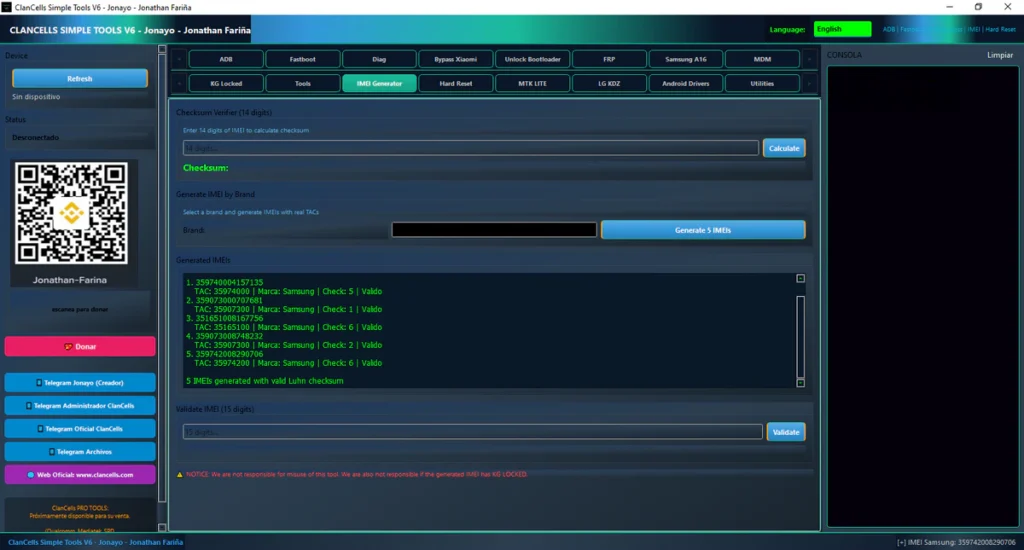
ClanCells Simple Tools V6, is a Windows software used for Android phone repair and unlocking work. This tool is mostly used by mobile repair technicians and software repair shops. With this tool, you can remove FRP lock, bypass Mi account, unlock bootloader, fix IMEI, hard reset phones, and many other repair tasks. The tool supports many Android brands like Samsung, Xiaomi, Oppo, Vivo, Motorola and more. This is an all-in-one Android service tool.
What’s New in Version 6?
- New UI Design
- Improved Xiaomi Bypass
- Samsung FRP Android 16 Added
- New MDM Removal Functions
- Driver Installer Section Added
- Bug Fixes and Stability Improvements
Full Features List:
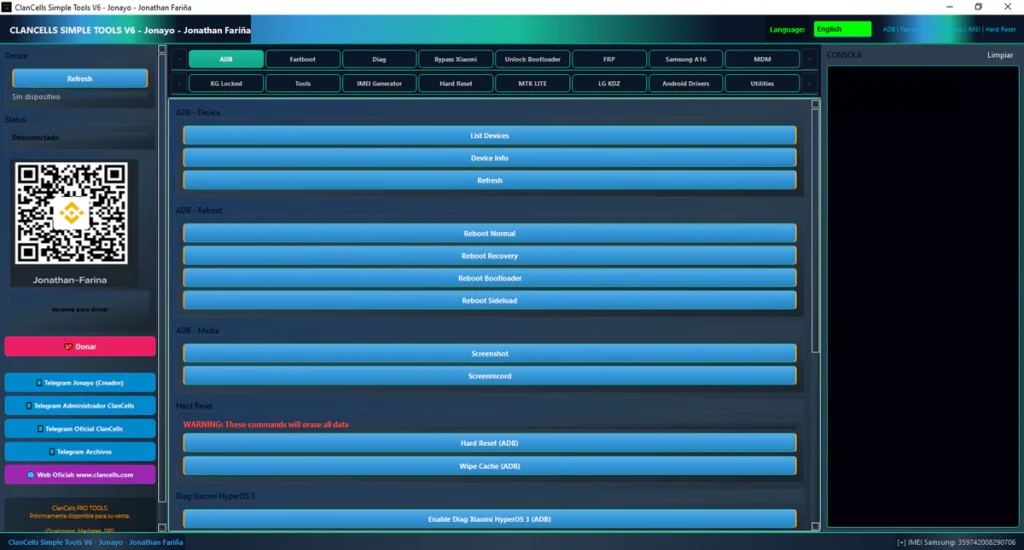
ADB Functions:
- List Devices
- Device Info
- Refresh Device
- Reboot Normal
- Reboot Recovery
- Reboot Bootloader
- Reboot Sideload
- Take Screenshot
- Screen Record
- Hard Reset (ADB)
- Wipe Cache (ADB)
- Enable Xiaomi HyperOS Diag
- Disable Samsung Updates
- Remove SecLogAgent
- Disable CID Manager
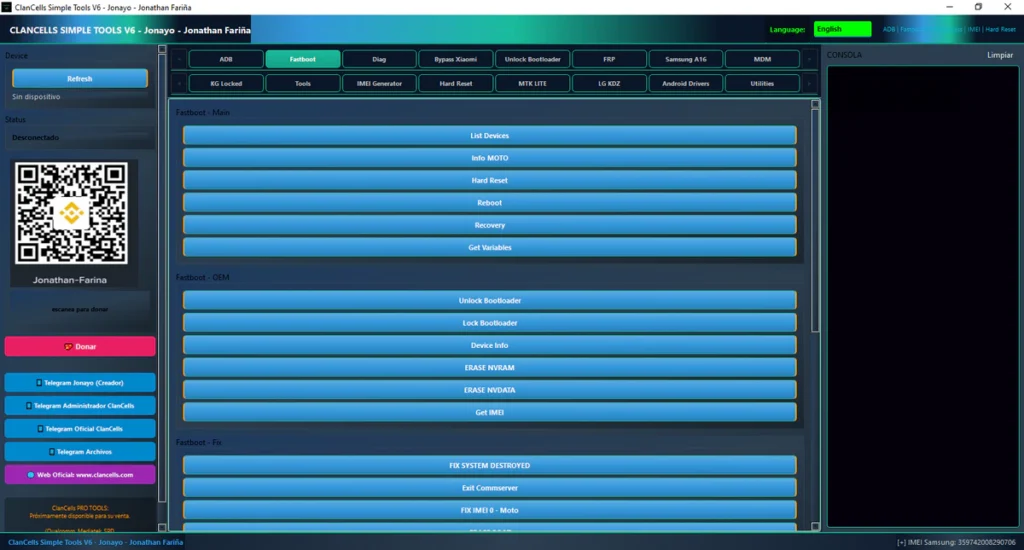
Fastboot Functions:
- List Devices
- Device Info
- Get Variables
- Reboot Device
- Boot Recovery
- Hard Reset
- Unlock Bootloader
- Lock Bootloader
- Erase NVRAM
- Erase NVDATA
- Get IMEI
- Fix System Destroyed
- Exit Commserver
- Fix IMEI (Moto)
- Erase Boot
- Erase Recovery
- Erase Custom
- Wipe Cache Fastboot
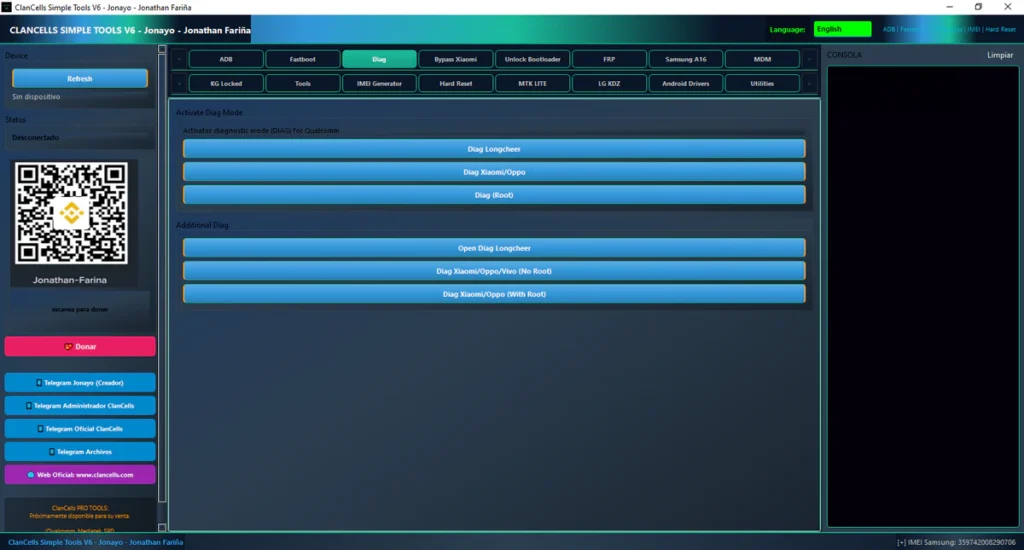
Diag Functions:
- Diag Longcheer
- Diag Xiaomi / Oppo
- Diag Root
- Open Diag Longcheer
- Diag Xiaomi / Oppo / Vivo (No Root)
- Diag Xiaomi / Oppo (With Root)
Xiaomi Functions:
- Get Device Info
- Execute Mi Account Bypass
- Xiaomi Bootloader Unlock (Jonayo Method)
FRP Functions:
- Samsung FRP Test Mode
- Motorola Auto FRP
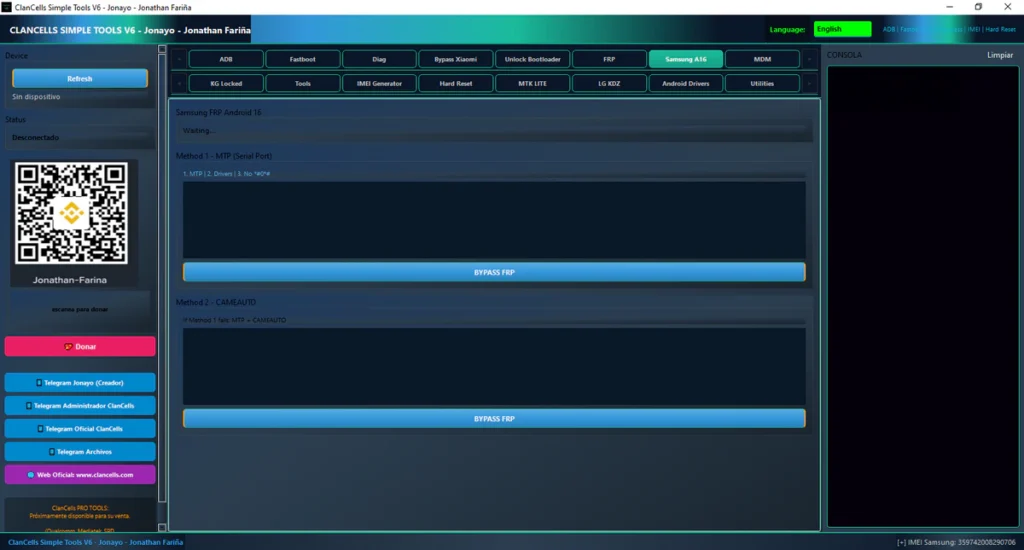
- Samsung FRP Android 16 MTP Method
- Samsung FRP Android 16 CAMEAUTO Method
- Bypass FRP
MDM / Enterprise Functions:
- List Device Admin
- List MDM Apps
- Remove Device Admin
- Uninstall MDM
- Change CSC + Hard Reset
- Remove Samsung MDM
- Remove McAfee Enterprise
- Disable MDM Services
Samsung KG / Knox Functions:
- Remove Knox Automatic
- Check KG Status
- Execute Jonayo KG Method
Tools Section:
- Getprop All
- Getprop Model
- Getprop Android Version
- Getprop Security Patch
- List Apps
- List Packages
- Freeze App
- Unfreeze App
- Clear App Data
- IP Address
- WiFi Info
- Ping Test
- Fix Permissions
- Fix SELinux
- Wipe Dalvik
IMEI Generator:
- IMEI Checksum Calculator
- Generate IMEI by Brand
- Generate Multiple IMEIs
- Validate IMEI
Hard Reset / Wipe:
- Hard Reset (ADB)
- Hard Reset (Fastboot)
- Wipe Cache (ADB)
- Wipe Cache (Fastboot)
MTK Lite Functions:
- Detect Device
- Connect to Device
- Stop Process
- Remove FRP
- Wipe Data
- Hard Reset + Reboot
- Exit BROM + Reboot
LG KDZ Functions:
- Select KDZ Firmware
- Detect Device
- Flash KDZ Firmware
Android Drivers:
- Install Mediatek Drivers
- Install Motorola Drivers
- Install Qualcomm Drivers
- Install Samsung Drivers
Utilities:
- Install ADB & Fastboot
- Activate Windows
- Enable Windows Test Mode
- Disable Windows Test Mode
- Install Runtimes
- Install Windows Drivers
| File Info | Details |
|---|---|
| File Name : | ClanCells_Simple_Tools_V6.7z |
| Version : | V6.7 (Updated 2026) |
| File size : | 290.3 MB (ِExtracted Size : 1.02 GB) |
| Password RAR : | laroussigsm.net |
| Download Link : | 𝗨𝗣𝗟𝗢𝗔𝗗𝗥𝗔𝗥 | 𝗨𝗣𝗟𝗢𝗔𝗗𝟰𝗘𝗩𝗘𝗥 | 𝗠𝗘𝗚𝗔𝟰𝗨𝗣 | 𝗙𝗥𝗘𝗘𝗗𝗟𝗜𝗡𝗞 |
HOW TO USE ?
- First, you need to download the zip file from the below link.
- Next, you can unzip all files at c: drive (important)
- Ensure you have disabled the antivirus before running the installation
- Next, open the folder and install the setup file with some basic instruction
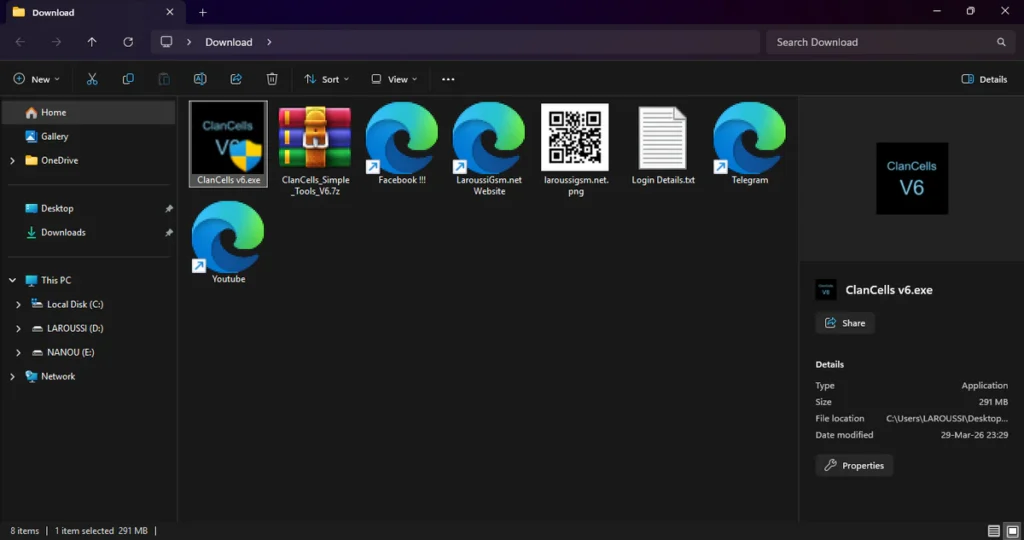
- Run the shortcut from the desktop “ClanCells v6.exe”.
- This ensures all components load correctly.
- Once logged in, you’ll have access to all features of the tool for a limited time.
- Next, you can install all drivers (included in the tool only need to one-click) if you already installed skip this step
- Connect the phone and try to do any function
- Enjoy !!!
Take a Backup : If you are willing to try the above tool, then please take a backup of your personal data from your Android Smartphone or Tablet. As flashing any Firmware or recovery may brick the device.
Credits : The Tool is created and distributed by the developer. So, full credits go to the developer for sharing the tool for free.