A.N.TOOL V4.6 Free (LifeTime Free) for Android & Apple Devices. It Includes Tools For Qualcomm, MediaTek, Samsung, Xiaomi, Unisoc, Exynos, Kirin, & ADB, Fastboot, FRP-MTP, QR Code, Samsung Odin
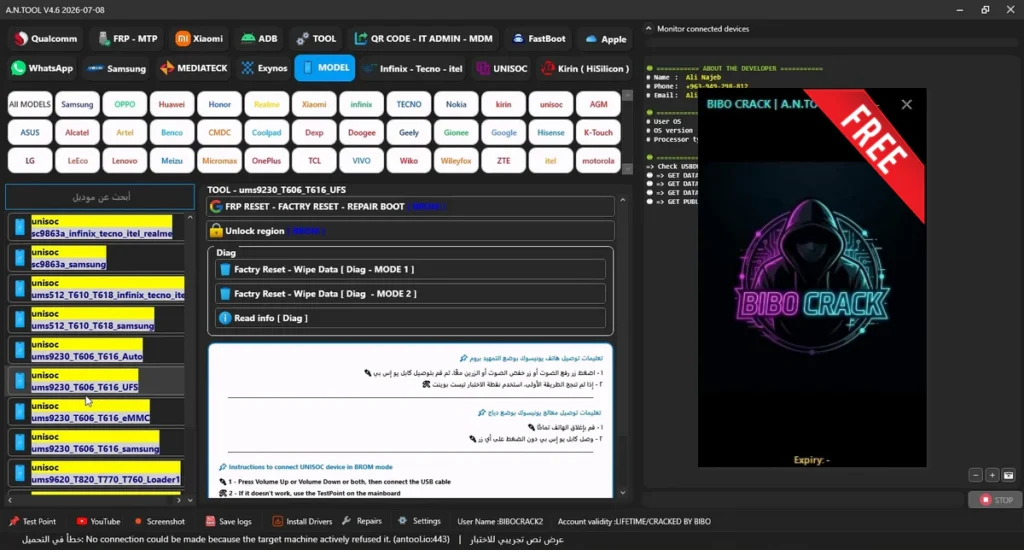
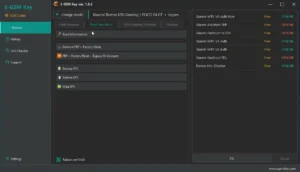
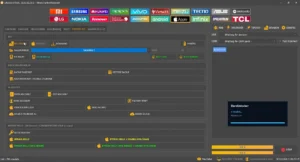
A.N.TOOL v4.6, is a small tool for windows computer it is allowed users different options for Android and Apple devices. It includes tools for Qualcomm, MediaTek, Samsung, Xiaomi, Unisoc, Exynos, Kirin, and other brands. The software includes device information, firmware flashing, partition management, and factory reset options. It also has ADB, Fastboot, FRP-MTP, QR Code, and Samsung Odin sections. The developer name and supported Windows versions were not provided.
Features AN Tool:
Qualcomm:
- Mode Selection: MODEL, Loader, Auto
- Brand and Model Selection
- Tools
- Reset FRP + Factory Reset
- Remove MI Account
- Backup Firmware
- Restore Backup
- Dump Security Partitions
- Flash Operations
- Select All / Deselect All
- Flash / Erase
FRP-MTP:
- MTP OPEN TOOL
- ENABLE ADB CODE
- Supported Brands: Huawei, Xiaomi, Vivo, Oppo, Infinix, Tecno, Alcatel, Lenovo, Sony, Motorola, Honor, OnePlus, BlackBerry
- Reset FRP [ADB]
- Open Chrome
- Open YouTube
- Open Google Maps
Xiaomi:
- Recovery 5.0
- Reset FRP [MediaTek-Qualcomm]
- Bypass Mi Account [Qualcomm]
- Writing Partition (Enter Name Partition)
- Reset EFS [Fix NV Data Is Corrupted] [Qualcomm]
- Factory Reset
- Read Info
- Reboot System
ADB:
- Generic
- Xiaomi Enable Diag [No Root]
- Bypass [FRP]
- Read Info
- Read Partition Table List
- Check Root State
- Get Battery State
- Remove ADS
- Factory Reset [Old Android]
- Fix Wireless Test Assistant [real…]
- Arabic Language Tools
- ADDING THE ARABIC LANGUAGE (ADB)
- ADDING ARABIC Keyboard (ADB)
- Reboot Options
- Recovery
- System
- Power OFF
- EDL [QC]
- META (M…)
- Fastboot
- OTA Options
- Disable OTA
- Enable OTA
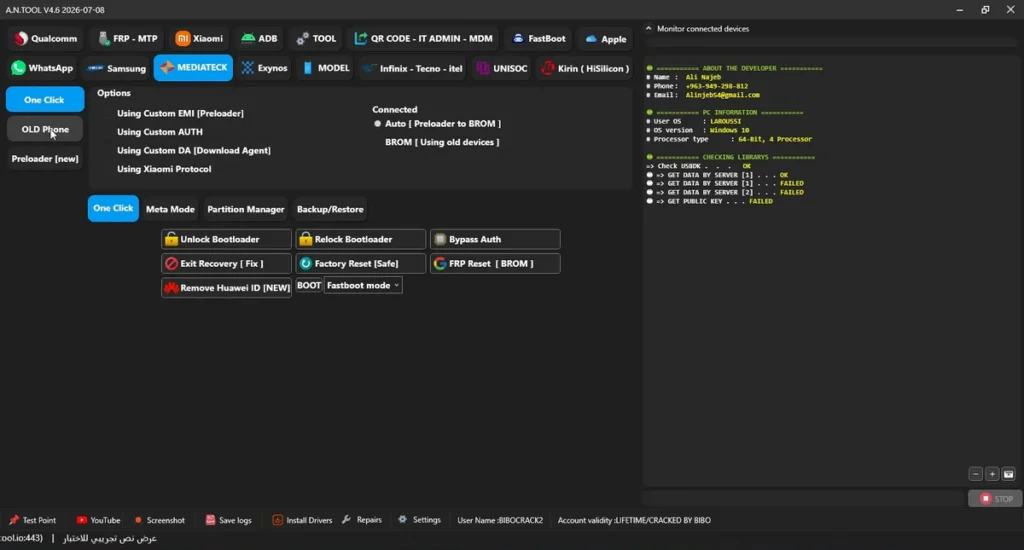
TOOL:
- Password Converter
QR CODE – IT ADMIN – MDM:
- Supported Android 11/12/13/14
- ENABLE ADB QR METHOD 1 [SN]
- ENABLE ADB QR METHOD 2 [SN]
- ENABLE ADB QR METHOD 3 [SN]
- ENABLE ADB QR [AUTO-NO SN]
- ENABLE ADB QR ANDROID 14-15-16 [AUTO-NO SN]
- Test DPC IT Admin QR
- Safe Key IT Admin QR
- Install Shieldx QR
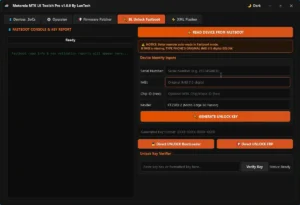
FastBoot:
- Main Options Partition Manager – Flash
- SET SLOT [B]
- SET SLOT [A]
- Format Data
- dm-verity failed [Fix]
- Read Info
- Relock Bootloader
- Reboot Recovery
- Exit Fastboot
- Erase FRP
- Reboot Fastbooted
- Partition Manager
- Get Partitions
- ERASE
- START FLASH (.bat) / Browse…
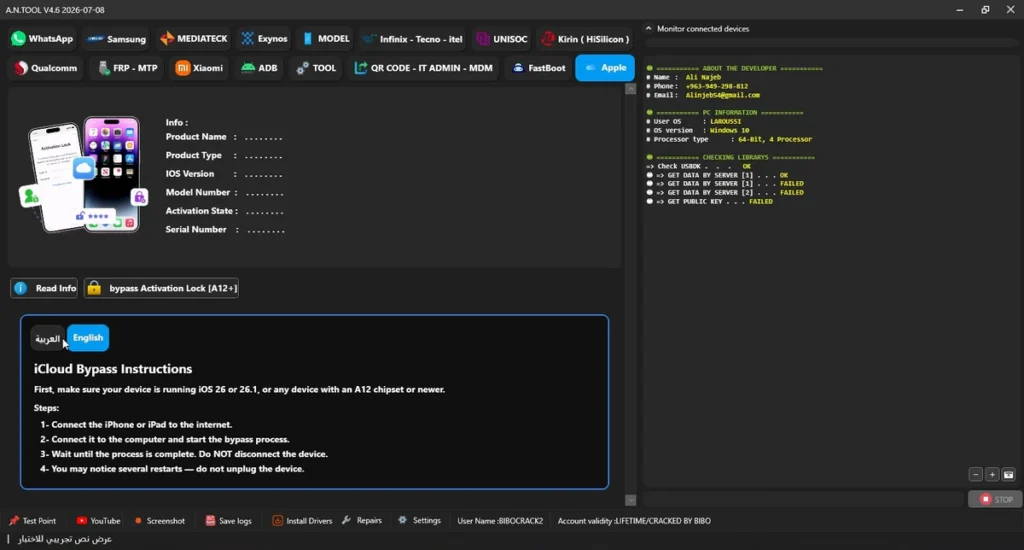
Apple:
- Read Info
- Product Name
- Product Type
- iOS Version
- Model Number
- Activation State
- Serial Number
- Bypass Activation Lock [A12+]
Samsung:
- Odin
- BL
- AP
- CP
- CSC
- Home CSC
- PIT
- Auto Reboot / Bypass MDM
- ENTER DOWNLOAD [MTP] / Exit Download – Fix Soft
- Flash PIT (File.pit) [Download]
- Backup PIT (.pit) [Download]
- FRP RESET ANDROID (5/6/7/8)
- Auto Firmware [Directory]
- Flash Firmware [Download]
- Read Info
- Mediateck
- Download: Reset FRP-MTK 2023-2024 [Direct From Download Mode]
- Preloader or BROM: FRP Reset
- Calibration
- Fingerprint Sensor UID
- EFS UID
- Calibration [ADB ROOT]
- Calibration Recovery TWRP (ADB)
- MTP – NORMAL
- TEST MODE / NORMAL
- ENABLE ADB 2023-6-11 [MTP-0]
- Reset FRP [2023-6-11] [MTP-0]
- BYPASS MDM – KNOX KG-FRP [MTP-1]
- Remove FRP Android 16 [2025-12-11] [New-MTP]
- CSC REGION Selection (e.g., EGY – Egypt)
- CHANGE REGION [CSC] [MTP]
- CHANGE SERIAL NUMBER [MTP]
- READ INFORMATION [MTP]
- FACTORY RESET [MTP]
- ENTER DOWNLOAD [MTP] / POWER OFF [MTP]
- T509 / T505 / X216B
- الطريقة 1 (Method 1)
- الطريقة 2 (Method 2)
- Exit Tablet from MDM: Enter Download Mode 1, Format – Protection 1 to 7 2, Fix Storage Size – MTP 3, Remove MDM QR 4
- Enter Tablet to MDM: Start Process, LOCK MDM Without SN
- Fix Bootloader
- Format Remove Google Account
- Remove MDM ROOT
- Remove Google Account Protection 1 to 7 (Requires EDL Cable or Test Points)
- Fix Blue Screen Issue (Requires EDL Cable or Test Points, Method 1 / Method 2)
- X216B – BIT B
- X216B – BIT (B-C) NEW
- X216B – BIT A and Old
- Enable Flash Download – EDL 1
- Format Data – Download 2
- Remove MDM – TEMP 3
- KG – MDM
- KnoxGuard [KG]
- Disable KG-MDM LOCK [ADB]
- Services
- Remove Samsung Account [ADB]
- ADDING THE ARABIC LANGUAGE [ONEUI 6.x – NO THEME] [ADB]
- ADDING THE ARABIC LANGUAGE [9 TO 13-PATCH] [ADB]
- ADDING THE ARABIC LANGUAGE [9 TO 13-THEME] [ADB]
- ADDING THE ARABIC LANGUAGE [ADB]
- ADDING ARABIC Keyboard [ADB]
- FIX FINGERPRINT AFTR ADDING ARABIC [ADB]
- FIX ARABIC SETUP [ADB]
- Delete ARABIC [ADB]
- OTA Options: Disable / Enable
- MOBILedit
- Reset FRP (ADB-ROOT)
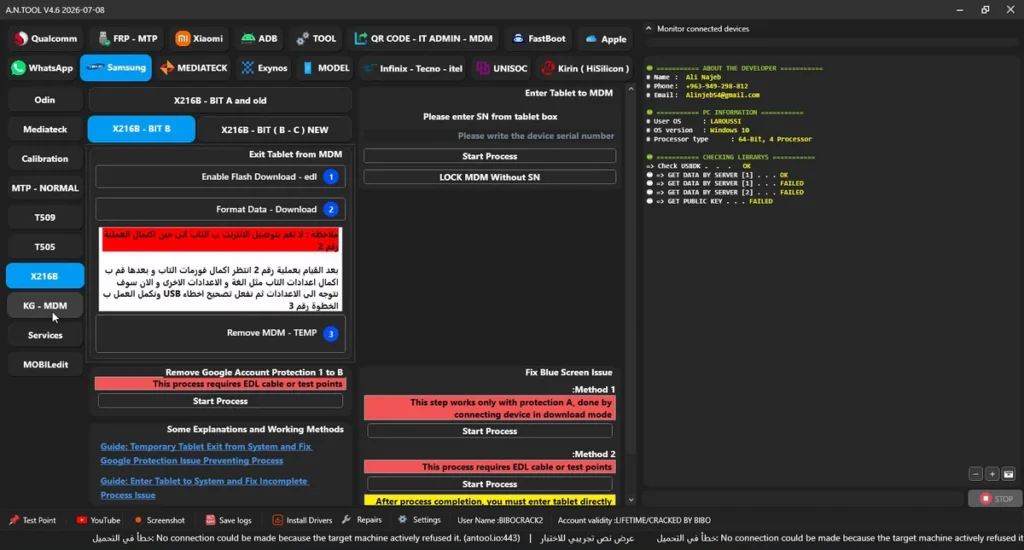
MEDIATEK:
- Options
- OLD Phone / Preloader [new]
- Using Custom EMI (Preloader)
- Using Custom AUTH
- Using Custom DA (Download Agent)
- Using Xiaomi Protocol
- Auto Preloader to BROM
- BROM (Using old devices)
- One Click
- Relock Bootloader
- Unlock Bootloader
- Exit Recovery [Fix]
- Factory Reset [Safe]
- Remove Huawei ID [NEW] BOOT Fastboot mode
- Bypass Auth
- FRP Reset [BROM]
- Meta Mode
- Read Info
- Factory Reset [Erase]
- Factory Reset [eMMC-New OS (1)]
- Factory Reset [Android Phone 5G]
- Factory Reset [OPPO – VIVO]
- Factory Reset [VIVO y1s-y30]
- Factory Reset [Rebuild Userdata]
- Factory Reset [eMMC – New OS (2)]
- Factory Reset [UFS]
- Factory Reset [UFS – Android 10/11]
- Partition Manager
- Writing Selected
- Erase Selected
- Backup Selected
- Booting Storage
- Backup/Restore
- Backup Full Software [BIN]
- Restore Full Software [BIN]
Exynos:
- Reset to Factory Default Setting
- Format FAT
- Factory Reset [KEEP DATA]
- Factory Reset [Safe]
- Format Nokia Safe
- Exynos 1280 Tools
- Auto FRP Reset – Odin
- Enable ADB Root – Odin
- Reset FRP-ADB
Infinix-Tecno-itel:
- One Click
- Brand AUTO – CPU
- OLD Phone
- Model Method 1 – Infinix/Tecno – Preloader now
- FRP Reset [Preloader – eMMC]
- Remove MDM [Preloader – eMMC]
- Enter BROM [Erase Preloader]
MODEL:
- All MODELS
- Samsung
- OPPO
- Huawei
- Honor
- Infinix
- TECNO
- Nokia
- Kirin
- Unisoc
- AGM
- ASUS
- Alcatel
- Astel
- Benco
- CMDC
- Coolpad
- Doogee
- Geely
- Gionee
- Hisense
- K-Touch
- LG
- LeEco
- Lenovo
- Meizu
- Micromax
- OnePlus
- TCL
- VIVO
- Wiko
- Wileyfox
- ZTE
- realme
- motorola
- Brand and Model Selection Search Function
UNISOC:
Tools Reset FRP READ INFO DISABLE ADB Enable ADB Universal BOOT BY CPU Flash PAC Flash Firmware (File PAC) UNPACK.PAC SAMSUNG (BL, AP, CP, CSC) Flash Samsung Firmware FRP Reset Backup Firmware Factory Reset [Safe] Restore Backup Dump Security Partitions Flash Security Partitions Fix Memory Diag Enter Diag [1] Enter Diag [2] Factory Reset [Diag] Get Info [Diag] Exit Diag Diag Extra Factory Reset – Wipe Data [Diag | MODE 1 Smartphone] Factory Reset – Wipe Data [Diag | MODE 2 Smartphone – OldPhone – Smartwatch] Read Info [Diag]
Kirin (HiSilicon):
- Fastboot / Factory FastBoot
- BOOT BY: By CPU [TestPoint]
- Kirin 620 Mode 1 [Test Point]
- Operations
- Read Info
- FRP Reset
- Unlock Bootloader (Temp)
- Reset FRP – Format
- Remove ID (Erase Oeminfo)
- Remove ID (Patch Oeminfo)
- Backup (Oeminfo)
- Flash (Oeminfo)
- Erase Information (OEM)
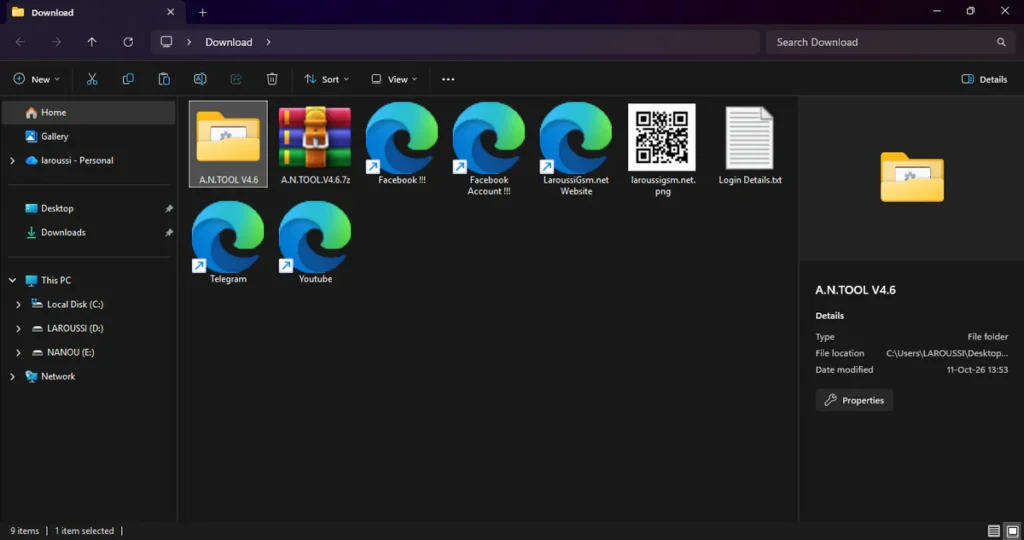
| File Info | Details |
|---|---|
| File Name : | A.N.TOOL.V4.6.7z |
| Version : | V4.6.7 (Updated 2026) |
| File size : | 369.4 MB (ِExtracted Size : 845 MB) |
| Password RAR : | LAROUSSIGSM.NET |
| Activation Files Only: | 𝗨𝗣𝗟𝗢𝗔𝗗𝗥𝗔𝗥 | 𝗨𝗣𝗟𝗢𝗔𝗗𝟰𝗘𝗩𝗘𝗥 | 𝗠𝗘𝗚𝗔𝟰𝗨𝗣 | 𝗙𝗥𝗘𝗘𝗗𝗟𝗜𝗡𝗞 |
🎁 Login Details:
✅ User Name: BIBOCRACK2
🔑 Password: 112233
HOW TO USE ?
- First, you need to download the zip file from the below link.
- Next, you can unzip all files at c: drive (important).
- Ensure you have disabled the antivirus before running the installation.
- Copy the `BIBO V4.6.exe` file and paste it directly into the newly extracted folder containing the A.N.TOOL files.
- Run the `BIBO V4.6.exe` file. When the security warning prompt appears, click “Yes” to install the required certificate.
- Open the extracted folder and launch the main `A.N.TOOL.exe` application.
- Run the `BIBO V4.6.exe` loader tool.
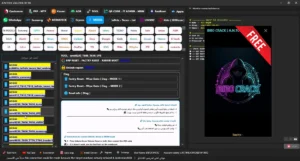
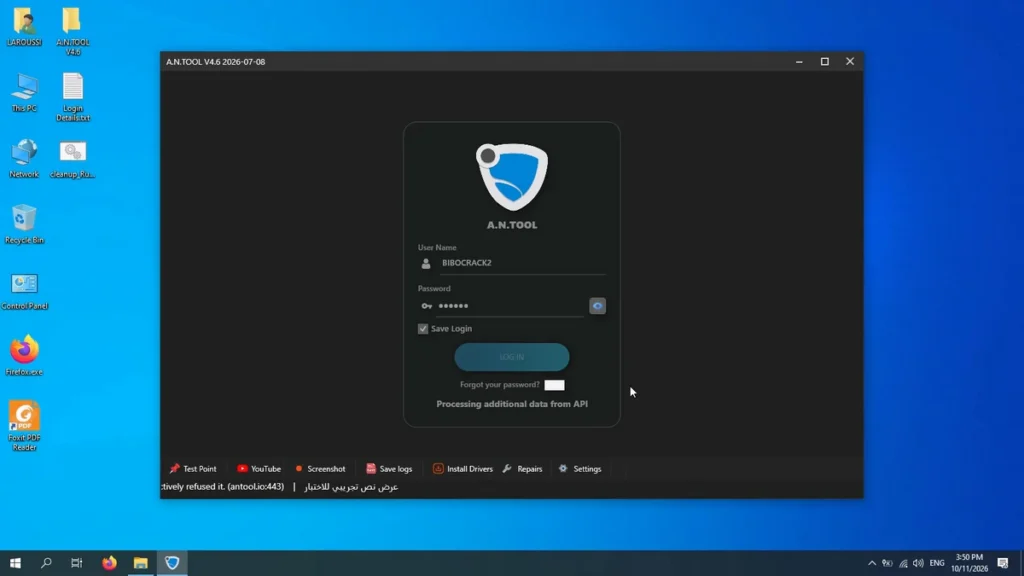
- On the A.N.TOOL interface, enter the User Name as `BIBOCRACK2` and the Password as `112233`. Check the “Save Login” box and click “LOGIN“.
- Once the application is loaded and your work is done, right-click the `cleanup_Run_as_admin_after_run_loader_.bat` file and select “Run as administrator”. You must always run this .bat file as an administrator after running the BIBO tool loader.
- Next, you can install all drivers (included in the tool only need to one-click) if you already installed skip this step.
- Connect the phone and try to do any function.
- Enjoy !!!
Take a Backup: If you are willing to try the above tool, then please take a backup of your personal data from your Android Smartphone or Tablet. As flashing any Firmware or recovery may brick the device.
Credits: The Tool is created and distributed by the developer. So, full credits go to the developer for sharing the tool for free.