HM Testpoint & Hardware Tool V8.5 Large Offline Database Of Smartphone Test Points, ISP Pinouts, Boot Cable Diagrams, & Hardware Circuit Ways Supports Many Popular Android Brands
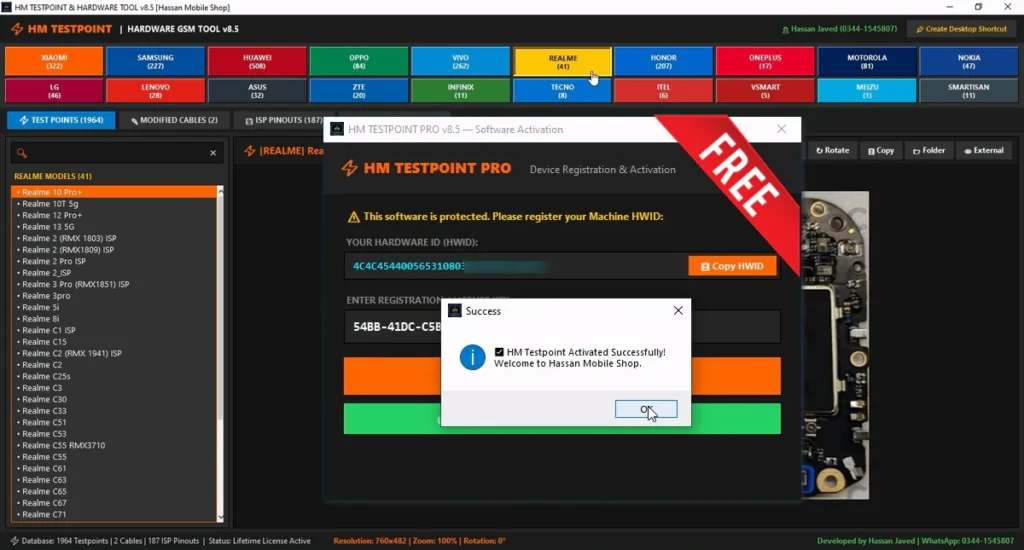
HM Testpoint & Hardware Tool v8.5, is a Windows software made for mobile hardware technicians and chip-level repair work. It includes a large offline database of smartphone test points, ISP pinouts, boot cable diagrams, and hardware circuit ways. This version is developed by Hassan Mobile Shop and supports many popular Android brands. The database includes information for Xiaomi, Samsung, Huawei, OPPO, Vivo, Realme, OnePlus, Motorola, Nokia and many more devices. Web activation is required to unlock and use the full tool.
Features:
- Large offline smartphone motherboard database
- 1964+ test points from supported models
- High-definition EDL test point images
- Direct eMMC and UFS ISP pinouts
- Hardware circuit ways and track diagrams
- Modified boot cable schematics
- Universal search for brands, models and pinout types
- Real-time search filtering
- Image viewer with smooth drag and pan support
- Zoom support up to 500%
- Rotate board diagrams by 90 degrees
- Auto-fit images to the screen
- Copy circuit diagrams to the Windows clipboard
- Open the original diagram folder directly
- Open diagrams in the default Windows image viewer
- Full-screen mode support
- Keyboard shortcuts for faster navigation
- Desktop shortcut integration
- Start Menu shortcut integration
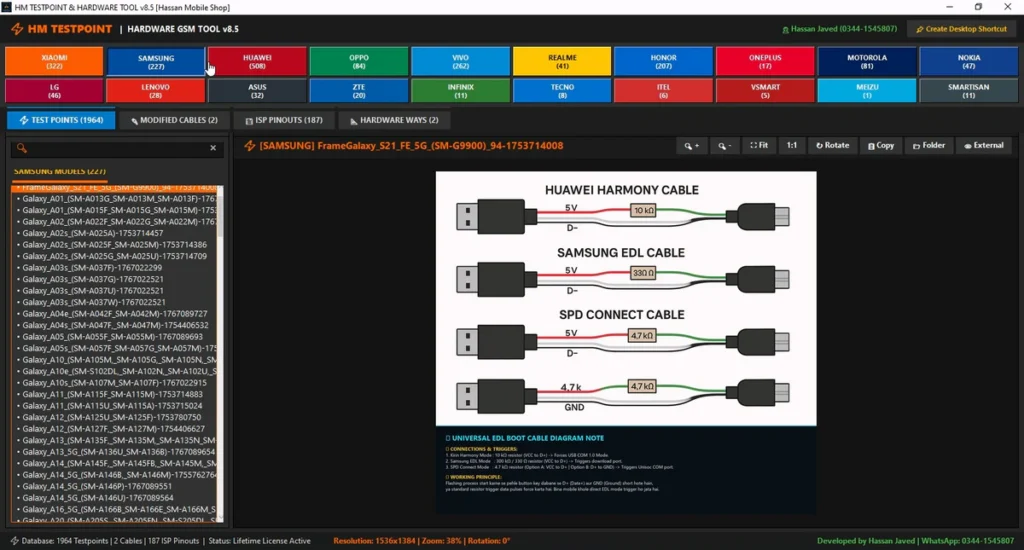
Supported Brands:
- Xiaomi: 322+ models
- Samsung: 227+ models
- Huawei: 348+ models
- OPPO: 228+ models
- Vivo: 263+ models
- Realme: 223+ models
- Honor: 197+ models
- OnePlus: 71+ models
- Motorola: 47+ models
- Nokia: 75+ models
- LG: 28+ models
- Lenovo: 102+ models
- ASUS: 52+ models
- ZTE: 39+ models
- Infinix: 77+ models
- Tecno: 72+ models
- itel: 30+ models
- Vsmart: 17+ models
- Meizu: 37+ models
- Smartisan: 9+ models
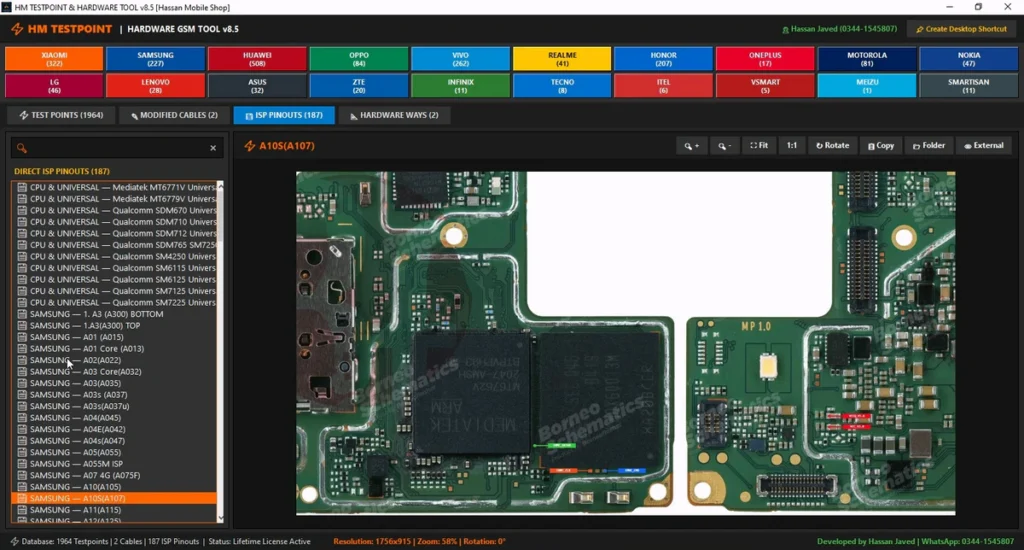
Additional Hardware Modules:
- Modified boot cable diagrams
- Universal EDL boot cable schematics
- Huawei Harmony boot cable information
- Samsung 300K and EDL cable diagrams
- SPD/Unisoc auto-boot cable information
- 4.7kΩ and 47kΩ resistor diagrams where supported
- 187 direct ISP pinouts
- CMD, CLK, DAT0, VCC, VCCQ and GND points
- Universal TX/RX hardware lines
- MediaTek supported hardware information
- Qualcomm supported hardware information
- Unisoc supported hardware information
- Samsung Exynos related pinout information
- Network and RF hardware circuit ways
- Charging and sub-board track diagrams
What’s New (Changelog)!
- Updated to HM Testpoint & Hardware Tool v8.5
- Includes a large offline database of 1964+ test points
- Supports test point information for many popular smartphone brands
- Includes 187 direct ISP pinouts
- Added high-resolution board and hardware diagrams
- Includes modified boot cable schematics
- Improved search and navigation for brands and models
- Built-in zoom, rotate, fit and full-screen controls for diagrams
- Web activation system using the machine HWID
- Creates a local license.key file after successful activation
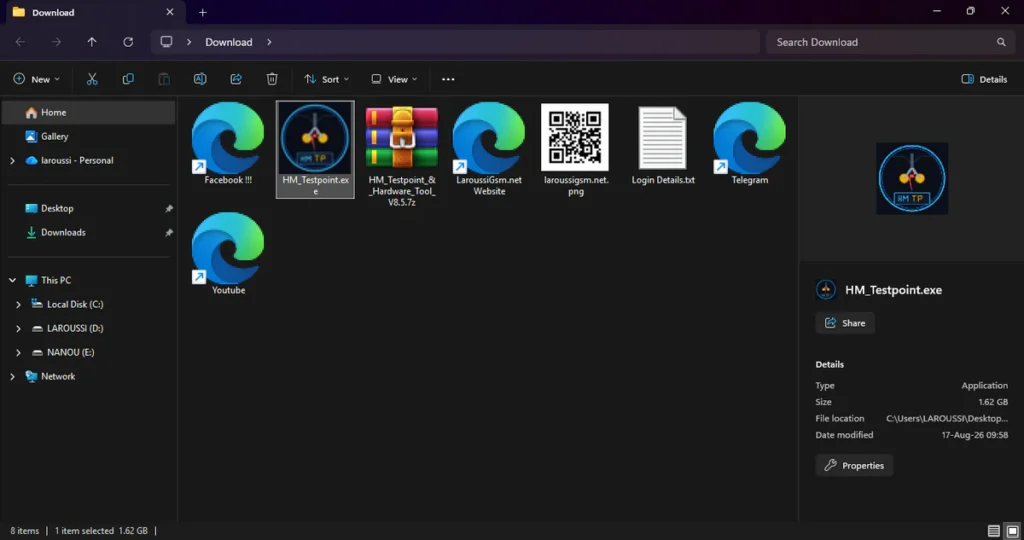
| File Info | Details |
|---|---|
| File Name : | UnlockTool-2026-07-30-0.7z |
| Version : | V2026-07-30-0 (Updated 2026) |
| File size : | 232.4 MB (ِExtracted Size : 445 MB) |
| Password RAR : | LAROUSSIGSM.NET |
| Activation Files Only: | 𝗨𝗣𝗟𝗢𝗔𝗗𝗥𝗔𝗥 | 𝗨𝗣𝗟𝗢𝗔𝗗𝟰𝗘𝗩𝗘𝗥 | 𝗠𝗘𝗚𝗔𝟰𝗨𝗣 | 𝗙𝗥𝗘𝗘𝗗𝗟𝗜𝗡𝗞 |
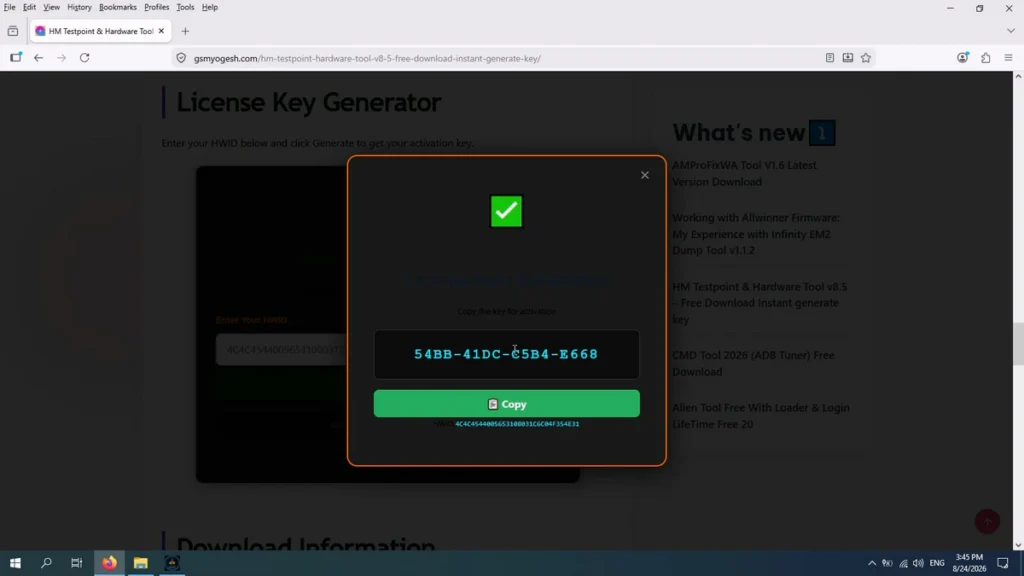
✅ License Key Generator:
https://gsmyogesh.com/hm-testpoint-hardware-tool-v8-5-free-download-instant-generate-key/
HOW TO USE ?
- First, you need to download the zip file from the below link.
- Next, you can unzip all files at c: drive (important).
- Ensure you have disabled the antivirus before running the installation.
- Next, open the folder and install the setup file with some basic instruction.
- Run the HM_Testpoint.exe as Administrator.
- The Device Registration & Activation window will show your Hardware ID.
- Click Copy HWID to copy your machine HWID.
- Open the activation page
- Paste your copied HWID into the activation page.
- Click the Generate button to create your activation key.
- Copy the generated license key.
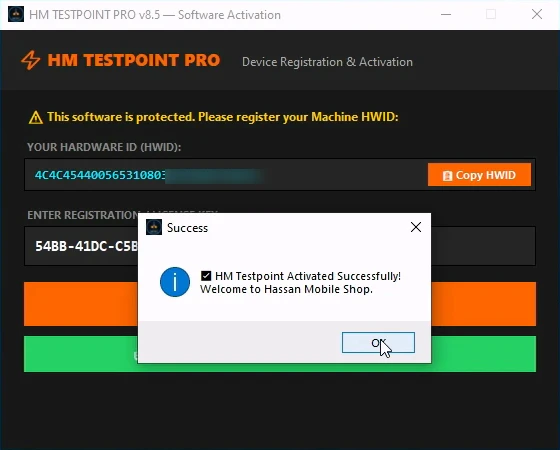
- Return to the HM Testpoint PRO registration window.
- Paste the key into the registration or license key field.
- Click ACTIVATE SOFTWARE.
- Enjoy !!!
Take a Backup: If you are willing to try the above tool, then please take a backup of your personal data from your Android Smartphone or Tablet. As flashing any Firmware or recovery may brick the device.
Credits: The Tool is created and distributed by the developer. So, full credits go to the developer for sharing the tool for free.